Squarespace Knowledge Base App icon Squarespace Knowledge Base App

Visitors Find Answers. Support Tickets Drop.

An AI-powered knowledge base for your Squarespace site. Users search and find answers instantly. Zero database load, zero performance impact.

5,204 Squarespace sites
4.8 on G2
5-minute setup

Aaron Dye Timothy M. Ben Marco Chris R.
from 124+ reviews
Squarespace knowledge base with voting and status columns

Try It Right Now

This is a live knowledge base. Try searching for an article. That is exactly how it works on your Squarespace site.

How It Actually Works

Users find answers on their own. Your support team focuses on what matters.

Knowledge base article
1

Write articles (AI helps)

Use the editor or let AI draft help articles for your Squarespace site. Getting started guides, FAQs, and how-to content.

Knowledge base search
2

Users search and find answers

AI-powered search handles typos, synonyms, and intent. Users find the right article without filing a ticket.

Analytics dashboard
3

Analytics show content gaps

Every search is logged, including failed ones. You see exactly what to write next based on real user needs.

Feedback board
4

Unanswered questions become feature requests

When users search for something that doesn't exist yet, it can become a tracked feature request in your feedback board.

Why Squarespace Sites Need a Better Knowledge Base

Before

With ProductLift

Squarespace has no native help center, knowledge base, or searchable documentation feature
A full AI-powered knowledge base embedded on your Squarespace site
No plugin ecosystem means building documentation pages requires manual Squarespace page creation
One code injection snippet adds searchable, organized documentation with AI
Squarespace's design focus means beautiful pages, but no interactive search or article hierarchy
AI-powered search with unlimited topic hierarchy, matching your template design
Creative professionals on Squarespace have no way to offer self-service support to clients
Clients and customers find answers on their own, reducing support emails by up to 50%

What You Can Do With This

KB article

Let AI Write Your Documentation

Talk to AI to generate help articles for your Squarespace site. Any team member can create polished documentation in minutes, not hours.

Search analytics

See What Users Search For

Analytics log every search query on your Squarespace knowledge base, including failed searches. Know exactly which articles to write next.

Theme customization

Make It Look Like Part of Your Site

Custom colors that match your Squarespace site design. Custom fonts, custom domain. Remove all ProductLift branding. Your visitors see your brand, not ours.

5,204

Teams using ProductLift knowledge bases

4.8

Rating on G2 and Capterra

5 min

To set up on Squarespace

Trusted by Site Owners And Creators Worldwide

Sebastian F.

Sebastian F.

Entrepreneur

This app will help you connect with your users and gather feedback like never before. The UI is clean and focused. The different pages and forms can be fully customized. Ruben is an amazing developer and entrepreneur with a proven track record. ProductLift is going places and you should get onboard.
Aaron Dye

Aaron Dye

An excellent product with equally excellent support! Everything just works, and when I had questions, the team was incredibly responsive.
Timothy M.

Timothy M.

Product Manager

This tool is literally a needle in a haystack. I was using Frill, and this doesn't even compare. The user interface, the way it lays out — so amazing. Also amazing support team!
Ben

Ben

Product Owner

Helped us quickly move away from our antiquated spreadsheet to a user-interactive system. User feedback is now collected in real-time. Support has been super speedy!
Marco

Marco

Based in Europe, ideal for privacy-conscious customer interaction. Constant improvements by Ruben together with thorough support make ProductLift a solid and future-proof choice.
Chris R.

Chris R.

Founder

By far the most customizable of all the feedback tools and much better than Feedbear. Developer is super responsive and support has been great. Highly recommend!

Who Uses a Knowledge Base on Squarespace

SaaS Companies

Reduce support tickets with self-service documentation. Onboard new users faster with structured guides.

Freelancers and Agencies

Create client-facing documentation covering how to update content, manage their site, and handle common tasks.

Digital Product Creators

Help customers get started with your products. Onboarding guides, FAQs, and troubleshooting articles reduce support load.

From Idea to Shipped Feature

One platform for the entire product lifecycle. Each step feeds the next.

Collect Feedback screenshot

Collect Feedback

Users submit feature requests and vote on priorities.

Squarespace Feedback Board App
Plan on Your Roadmap screenshot

Plan on Your Roadmap

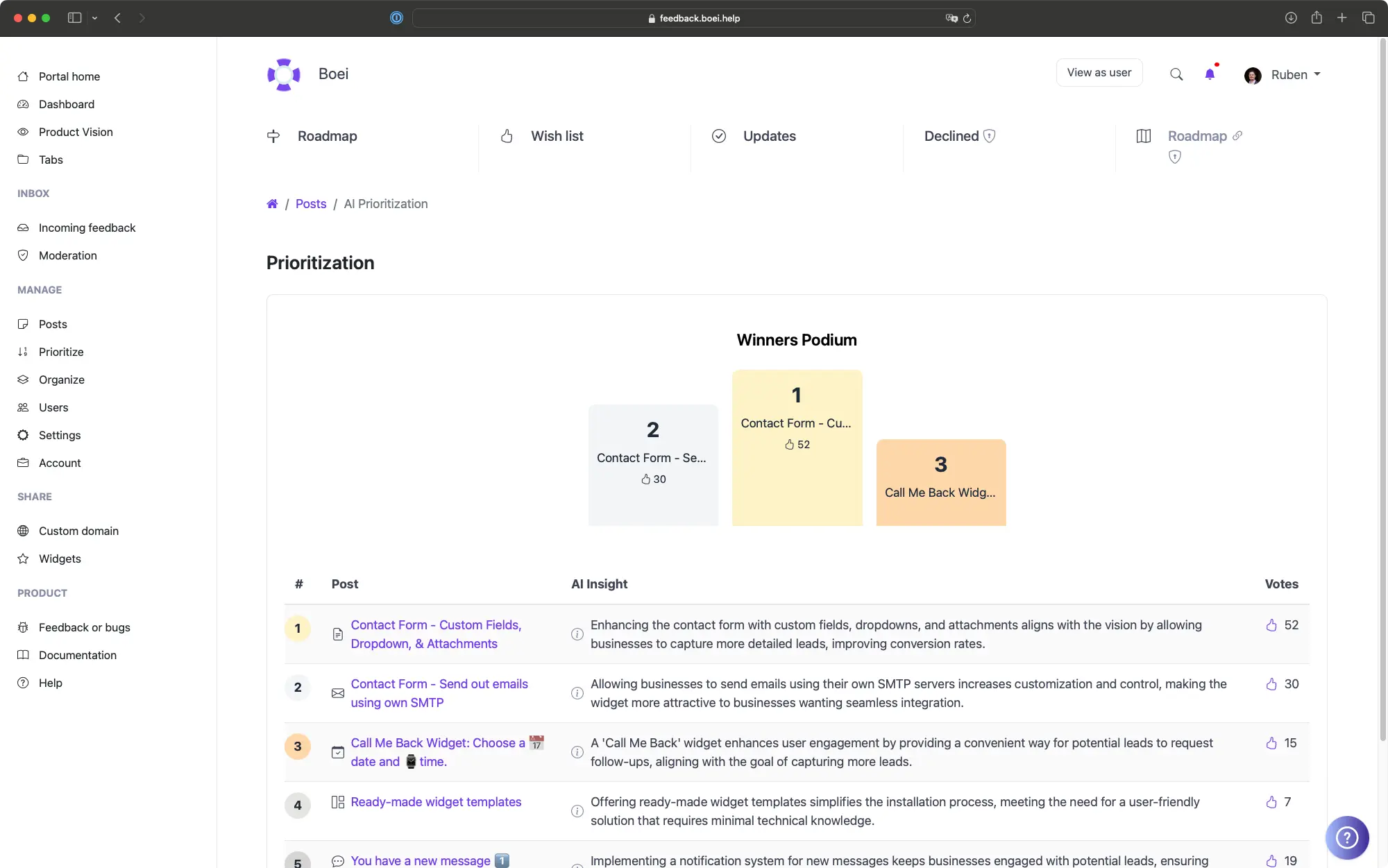
Drag items to Planned. Voters see the status change.

Squarespace Product Roadmap App
Ship and Announce screenshot

Ship and Announce

Move to Shipped. It becomes a changelog entry. Voters get notified.

Squarespace Changelog App
Document It screenshot

Document It

Generate a help article from shipped features. AI writes the draft.

You are here

Users of website builders expect things to be simple. That includes finding help. If your knowledge base search returns irrelevant results, users give up and file a support ticket instead.

ProductLift uses AI-powered search that understands intent, handles typos, and recognizes synonyms. Combined with analytics showing content gaps, you build documentation that actually reduces support load.

Ruben Buijs

Ruben Buijs

Founder of ProductLift

How Knowledge Bases Work on Squarespace Sites

Squarespace has no native knowledge base, help center, or searchable documentation feature. The platform's design focus produces beautiful pages, but each help article would need to be a separate Squarespace page with no topic hierarchy, no AI search, and no analytics on what visitors are looking for. With no plugin directory, there is no quick way to add documentation functionality.

ProductLift adds a complete knowledge base to your Squarespace site through code injection. Add a Code Block to your page, paste the snippet, and save. Visitors get AI-powered search that handles typos and synonyms, articles organized into unlimited topic levels, and a clean interface that matches your template design.

Creative professionals, course creators, and membership sites on Squarespace use the knowledge base to offer self-service support. Clients find answers to common questions without emailing, which reduces support workload and lets you focus on creating.

The Squarespace alternative is manually creating individual pages for each help article and linking them from an index page. This approach gives you no search, no analytics, no AI content assistance, and no way to know which questions visitors can't find answers to. A hosted knowledge base solves all of these limitations.

Explore More ProductLift Features

See what else you can add to your Squarespace site

Changelog

Keep your Squarespace users updated with a changelog

Learn More

Feedback Board

Collect feedback from your Squarespace visitors

Learn More

Public Roadmap

Share your roadmap with Squarespace visitors

Learn More

Squarespace Knowledge Base App FAQ

How do I add a knowledge base to my Squarespace site?

In Squarespace, add an HTML embed or code block to your page. Paste the ProductLift code snippet and publish. The embed adapts to your Squarespace design automatically. You can also host on a custom subdomain like feedback.yoursite.com.

Do I need to install a Squarespace app?

No. ProductLift is hosted on its own servers and embedded via a small code snippet. There's nothing to install, no database tables created, and no performance impact on your Squarespace site.

Can AI help me write knowledge base articles?

Yes. AI can rewrite and improve your drafts, making it easy for any team member to create polished documentation. Write a rough draft and let AI polish it.

Can the knowledge base be private?

Yes. Make your knowledge base public for all visitors or restrict access to authenticated users. Useful for internal team documentation or customer-only help centers.

How do I track what users are searching for?

Analytics show you which articles are most viewed, which search queries return no results, and where users drop off.

Can I customize the appearance?

Full customization for colors, fonts, and layout. White-label branding removes all ProductLift references.

Is there a free trial?

Yes. 14-day free trial with full access, no credit card required. Plans start at $19/mo (billed annually).

See How Users Find Answers

Create your knowledge base in 5 minutes. AI writes the first draft.

No credit card required · 14-day free trial · No app to install · Works with any theme